# NCEI/DCDB data extraction

Perform the following steps to extract CSB data from the DCDB:

1. Go to the IHO Data Centre for Digital Bathymetry Viewer.  
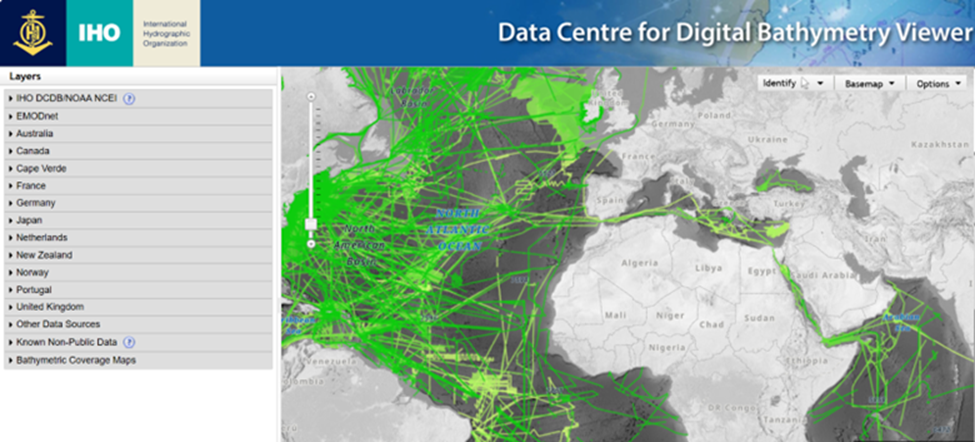
    ![image.png](https://cms-kb.marine.usf.edu/uploads/images/gallery/2026-02/scaled-1680-/3s0image.png)
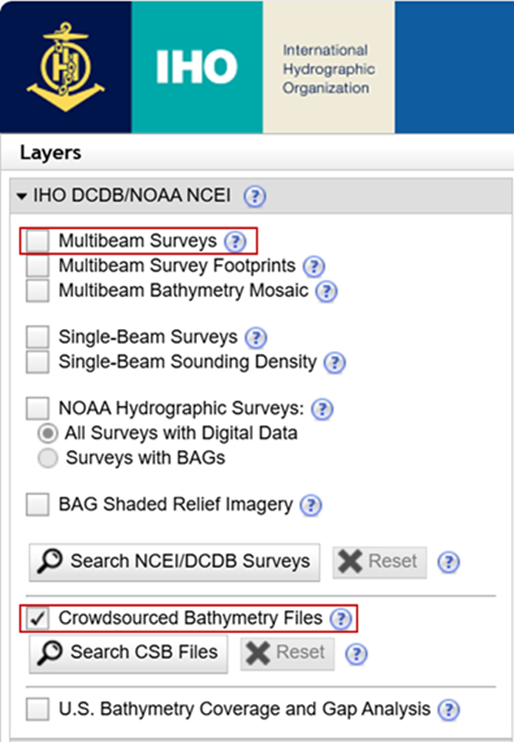
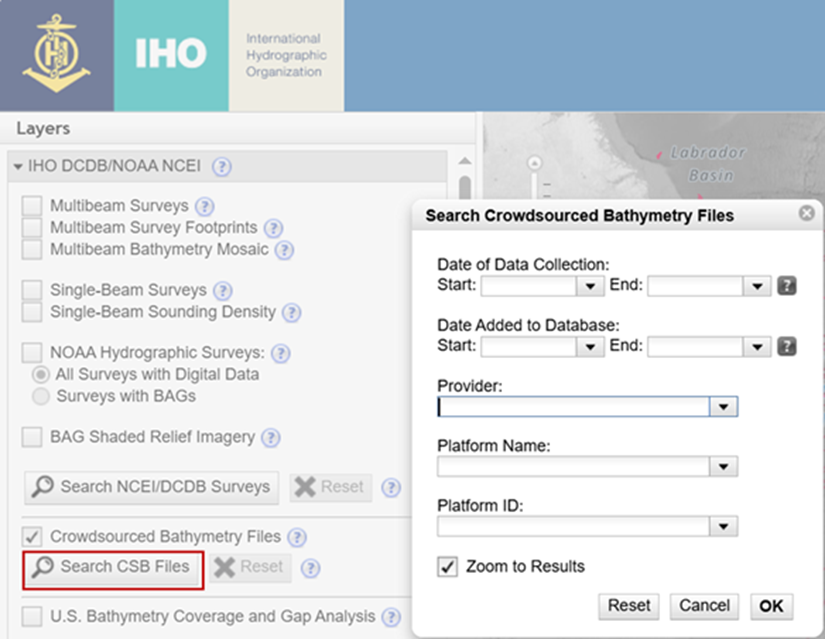
2. <span style="font-size: 12.0pt; line-height: 115%; font-family: 'Calibri',sans-serif; mso-ascii-theme-font: minor-latin; mso-fareast-font-family: Calibri; mso-fareast-theme-font: minor-latin; mso-hansi-theme-font: minor-latin; mso-bidi-font-family: 'Times New Roman'; mso-bidi-theme-font: minor-bidi; mso-ansi-language: EN-US; mso-fareast-language: EN-US; mso-bidi-language: AR-SA;">Click the **IHO DCDB/NOAA NCEI** drop down menu, <u>uncheck</u> the ‘**Multibeam Surveys**’ layer and select the ‘**Crowdsourced Bathymetry Files**' layer.  
    </span>![image.png](https://cms-kb.marine.usf.edu/uploads/images/gallery/2026-02/scaled-1680-/L4Mimage.png)
    
    
    - <span style="font-size: 12.0pt; line-height: 115%; font-family: 'Calibri',sans-serif; mso-ascii-theme-font: minor-latin; mso-fareast-font-family: Calibri; mso-fareast-theme-font: minor-latin; mso-hansi-theme-font: minor-latin; mso-bidi-font-family: 'Times New Roman'; mso-bidi-theme-font: minor-bidi; mso-ansi-language: EN-US; mso-fareast-language: EN-US; mso-bidi-language: AR-SA;">As an alternative to steps 1 and 2, you can use [this link](https://www.ncei.noaa.gov/maps/iho_dcdb/?layers=csb) (bookmark it) to navigate directly to the CSB data, instead of having to deselect the multibeam data  
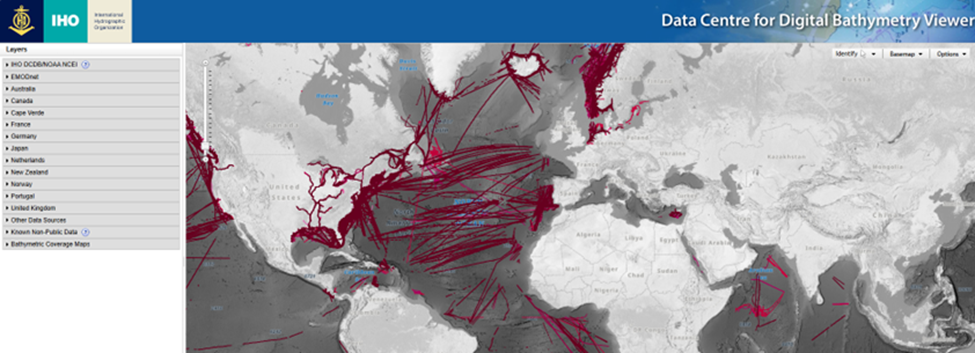
        </span>![image.png](https://cms-kb.marine.usf.edu/uploads/images/gallery/2026-02/scaled-1680-/Aq6image.png)
3. <span style="font-size: 12.0pt; line-height: 115%; font-family: 'Calibri',sans-serif; mso-ascii-theme-font: minor-latin; mso-fareast-font-family: Calibri; mso-fareast-theme-font: minor-latin; mso-hansi-theme-font: minor-latin; mso-bidi-font-family: 'Times New Roman'; mso-bidi-theme-font: minor-bidi; mso-ansi-language: EN-US; mso-fareast-language: EN-US; mso-bidi-language: AR-SA;">Zoom in on the area you want to extract data from. You can also select ‘**Search CSB Files**’ to filter for a certain date range, Provider (Trusted Node), or Platform Name (vessel name). You can currently only search by one 'Platform Name' at a time, but the DCDB is working on enabling multi-platform searches.  
    </span>![image.png](https://cms-kb.marine.usf.edu/uploads/images/gallery/2026-02/scaled-1680-/bEGimage.png)
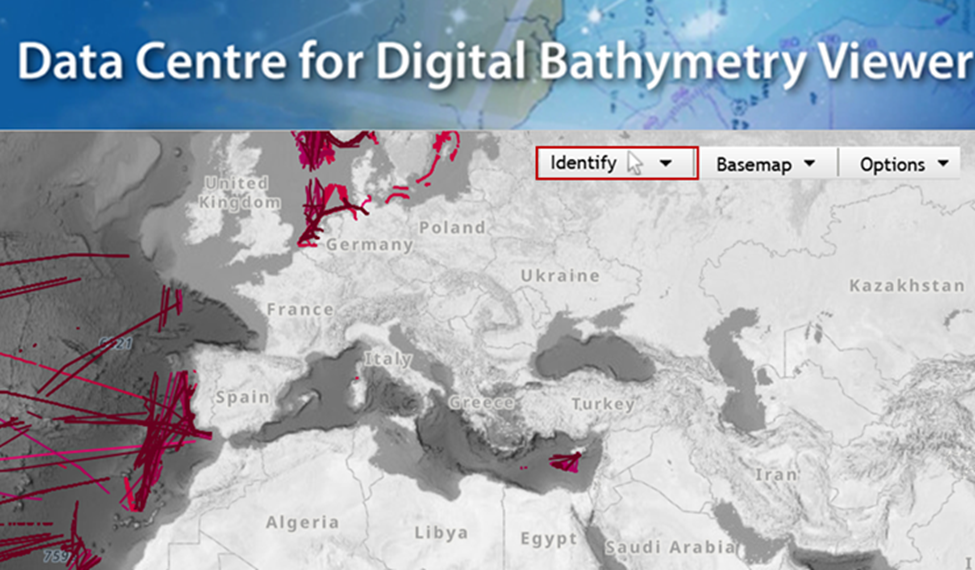
4. <span style="font-size: 12.0pt; line-height: 115%; font-family: 'Calibri',sans-serif; mso-ascii-theme-font: minor-latin; mso-fareast-font-family: Calibri; mso-fareast-theme-font: minor-latin; mso-hansi-theme-font: minor-latin; mso-bidi-font-family: 'Times New Roman'; mso-bidi-theme-font: minor-bidi; mso-ansi-language: EN-US; mso-fareast-language: EN-US; mso-bidi-language: AR-SA;">When you are ready to extract data, click the '**Identify**' drop-down menu and select the option you would like to use.  
    </span>![image.png](https://cms-kb.marine.usf.edu/uploads/images/gallery/2026-02/scaled-1680-/MqWimage.png)
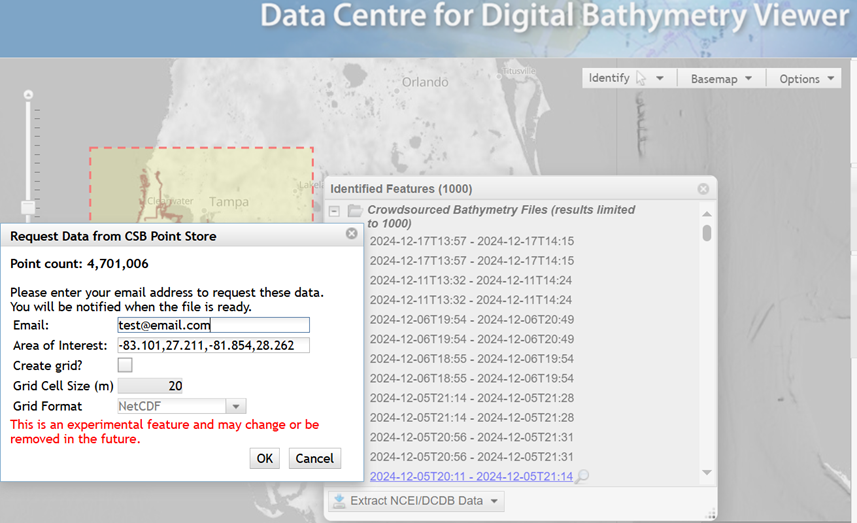
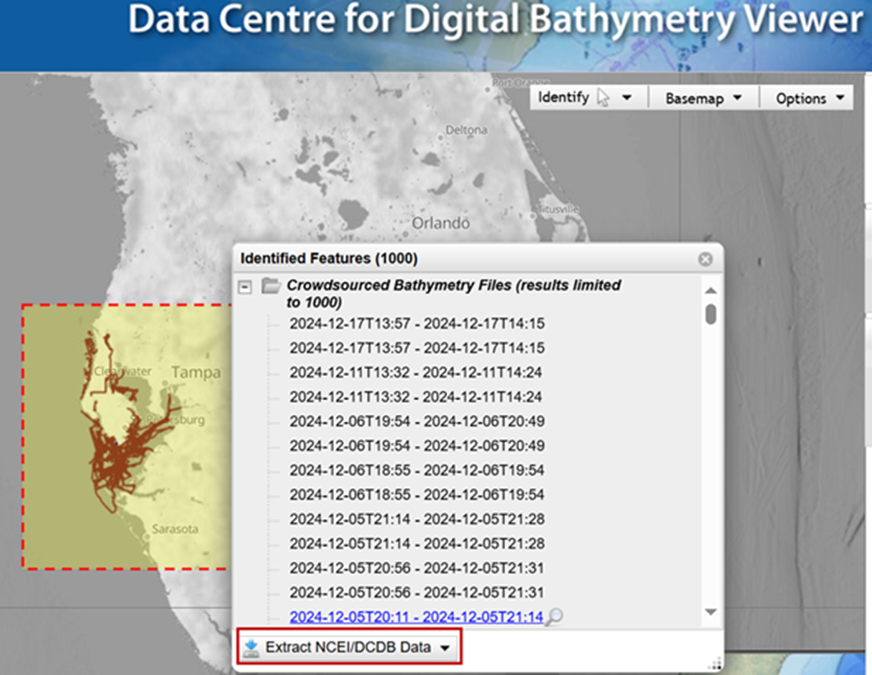
5. <span style="font-size: 12.0pt; line-height: 115%; font-family: 'Calibri',sans-serif; mso-ascii-theme-font: minor-latin; mso-fareast-font-family: Calibri; mso-fareast-theme-font: minor-latin; mso-hansi-theme-font: minor-latin; mso-bidi-font-family: 'Times New Roman'; mso-bidi-theme-font: minor-bidi; mso-ansi-language: EN-US; mso-fareast-language: EN-US; mso-bidi-language: AR-SA;">Draw your bounding area of interest, select ‘**Extract NCEI/DCDB Data**’ and choose the ‘**Extract CSB Point Store Data**.’ You will be prompted to enter an email address where the link to download files will be sent to. <u>Do not check the box for ‘Create Grid.</u>' Leave the default for the rest of the options.  
    </span>![image.png](https://cms-kb.marine.usf.edu/uploads/images/gallery/2026-02/scaled-1680-/H6iimage.png)
    
    ![image.png](https://cms-kb.marine.usf.edu/uploads/images/gallery/2026-02/scaled-1680-/iaDimage.png)
6. <span style="font-size: 12.0pt; line-height: 115%; font-family: 'Calibri',sans-serif; mso-ascii-theme-font: minor-latin; mso-fareast-font-family: Calibri; mso-fareast-theme-font: minor-latin; mso-hansi-theme-font: minor-latin; mso-bidi-font-family: 'Times New Roman'; mso-bidi-theme-font: minor-bidi; mso-ansi-language: EN-US; mso-fareast-language: EN-US; mso-bidi-language: AR-SA;">Depending on the current volume of requests and the size of your requested area, you should receive an email with a link to download your data within a few minutes.</span>

<p class="callout success"><span style="font-size: 12.0pt; line-height: 115%; font-family: 'Calibri',sans-serif; mso-ascii-theme-font: minor-latin; mso-fareast-font-family: Calibri; mso-fareast-theme-font: minor-latin; mso-hansi-theme-font: minor-latin; mso-bidi-font-family: 'Times New Roman'; mso-bidi-theme-font: minor-bidi; mso-ansi-language: EN-US; mso-fareast-language: EN-US; mso-bidi-language: AR-SA;">Your CSB data are now downloaded and ready to have[ Pydro tidal corrections](https://cms-kb.marine.usf.edu/books/crowdsourced-bathymetry-manual-2026/page/pydro-tidal-corrections "Pydro tidal corrections") applied.</span></p>